

Overstaying your Australian visa even by a single day can lead to detention, forced removal, a three-year re-entry ban, or permanent damage to your immigration record. The consequences are severe and entirely avoidable.
Many visa holders make the mistake of relying on a passport stamp or their departure date to gauge when their visa expires. But Australian visas are electronic, and the real expiry date can differ significantly from what you might assume. Some visas expire on a fixed date; others count days from your arrival; others allow multiple entries over several years.
The good news? Knowing how to check the expiration date of your visa is easier than you think. Australia’s official government tool, VEVO (Visa Entitlement Verification Online), gives you instant, accurate details about your visa conditions and expiry date for free.
In this guide, we’ll walk you through several simple methods, from using VEVO online to the myVEVO mobile app. It takes just minutes, and it could save you years of immigration headaches.
Why You Must Know Your Visa Expiration Date
Understanding your visa expiry date isn’t just good practice, it’s essential for staying legally compliant and protecting your future in Australia. Many people assume they’ll “know” when their visa is about to expire, but the reality is far more nuanced.
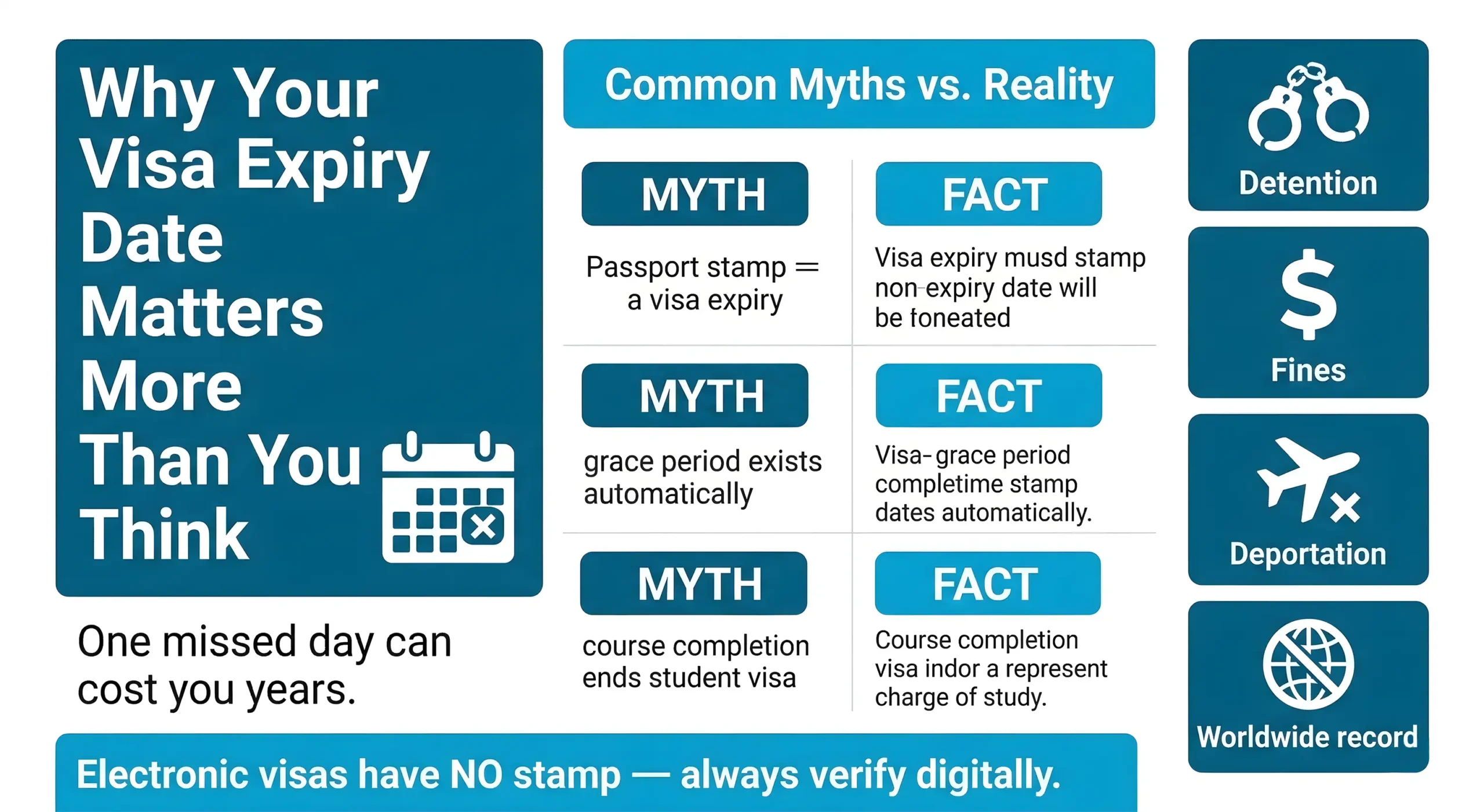
Legal Consequences of Overstaying Your Visa
Overstaying, even unintentionally, triggers serious legal consequences under Australian immigration law:
- Section 48 Bar (3-year re-entry ban): Once you overstay and are removed, you are barred from returning to Australia for three years, and in some cases, indefinitely.
- Financial penalties: Unlawful non-citizens can face fines exceeding $1,000, with additional costs for detention and deportation proceedings often charged back to the individual.
- Detention and removal costs: The Australian Border Force can detain overstayers immediately, and the cost of detention and forced removal is frequently billed to the individual.
- Permanent immigration record: An overstay is flagged permanently on your immigration history, visible to border authorities worldwide.
- Impact on future visa applications globally: Overstay records can trigger refusals not just in Australia, but in the US, UK, Canada, and other countries that share immigration data internationally.
Planning Your Life in Australia
Your visa expiry date directly affects the most practical aspects of daily life:
- Employment contracts: Employers are legally required to verify work rights. An expired visa means no lawful right to work, risking termination or prosecution for both you and your employer.
- Lease agreements: Landlords and property managers routinely request proof of valid visa status before signing or renewing rental agreements.
- Travel bookings: Leaving Australia on an expired visa can prevent re-entry entirely — even with a return ticket already booked.
- Education enrollment: Colleges and universities tie enrollment eligibility to visa validity. Missing the deadline can cost you your place in the program.
- Permanent residency pathway: Most PR applications require you to be onshore with a valid visa at the time of lodgement. An expired visa can disqualify you from applying altogether.
Common Misconceptions About Visa Validity
These misunderstandings are among the most common and most costly mistakes visa holders make:
- Passport stamp ≠ visa expiry: The stamp in your passport records your entry date only. Your actual visa expiry date is stored in Australia’s electronic immigration system and must be verified separately.
- “Visa granted until” vs. “travel until”: Some visas carry two separate dates one indicating how long you can use the visa to enter Australia, and another showing how long you may legally stay. These are not interchangeable.
- Conditional vs. unconditional expiry: Certain visas expire upon a triggering event such as leaving the country or ceasing enrollment rather than on a fixed calendar date.
- Course completion ≠ visa expiry for students: Finishing your degree does not cancel your student visa immediately. Most student visas include a grace period, but the exact end date must still be verified through VEVO.
Method 1: Check Via VEVO (Visa Entitlement Verification Online) The Official Way
When it comes to verifying your visa status in Australia, VEVO is the gold standard. It’s the only tool that pulls directly from the Department of Home Affairs database, meaning the information you see is the same information Australian border officers see.
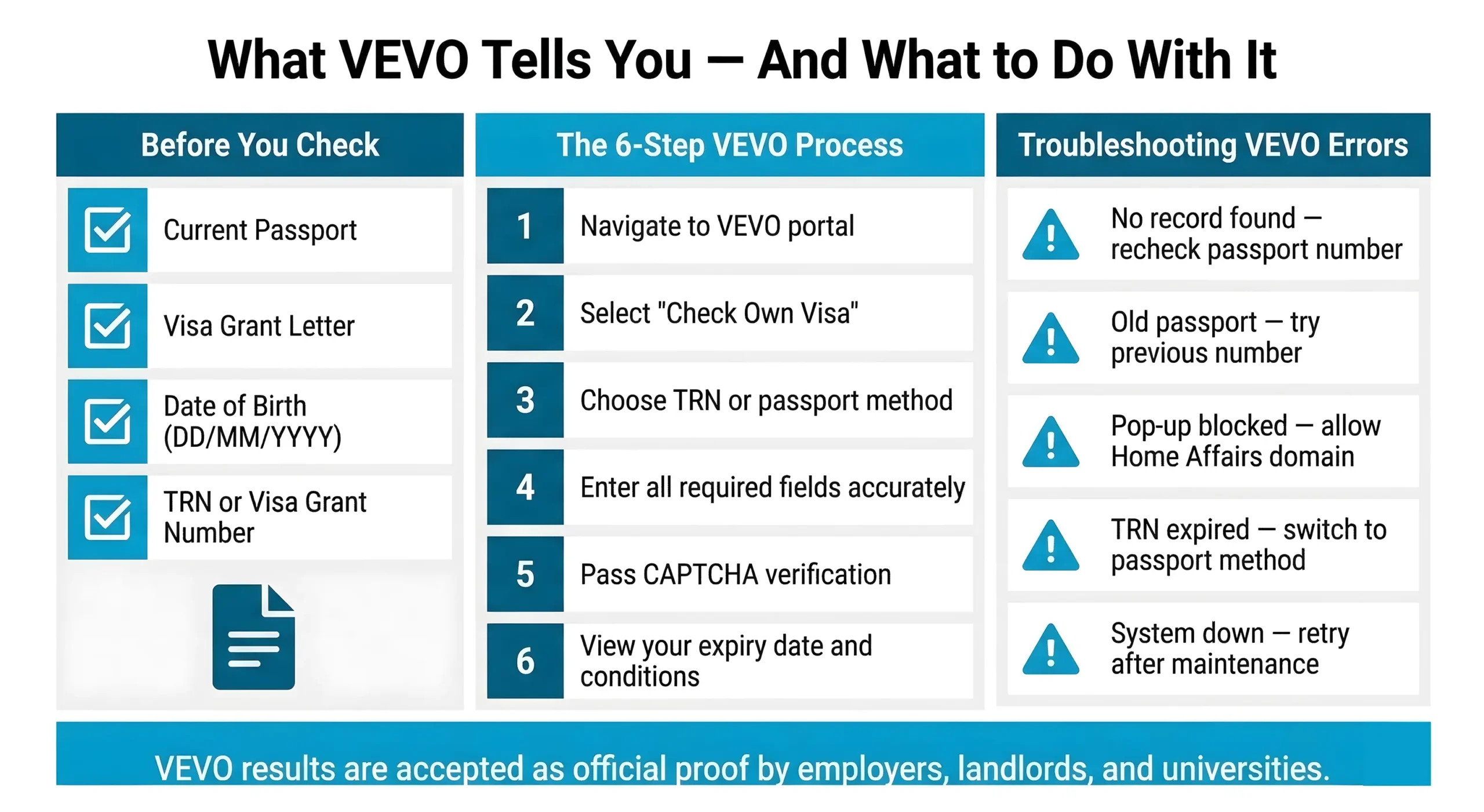
What is VEVO and Why It’s the Most Reliable Method
VEVO (Visa Entitlement Verification Online) is a free, government-run system operated by the Australian Department of Home Affairs. Unlike third-party visa checkers or agent portals, VEVO connects directly to the live immigration database, giving you real-time, accurate visa status information the moment you check.
Here’s why VEVO stands above every other method:
- Government-operated: Run directly by the Department of Home Affairs no intermediaries, no data lag.
- Real-time accuracy: Your visa status is updated instantly when changes occur, including grants, cancellations, and condition amendments.
- Free and available 24/7: There’s no cost to use VEVO, and it’s accessible any time of day, any day of the year.
- Comprehensive results: VEVO doesn’t just show your expiry date it displays your full visa conditions, including work entitlements, study rights, and any restrictions attached to your visa.
- Globally accessible: As long as you have an internet connection, you can check your visa status from anywhere in the world.
Step-by-Step: Checking Your Own Visa on VEVO
Follow these steps carefully to retrieve your visa details:
Step 1
Open your browser and navigate to immi.homeaffairs.gov.au/VEVO
Step 2
On the homepage, select “Check your own visa details with VEVO” this is the option for individual visa holders, not employers or third parties.
Step 3
Choose your preferred access method. The Transaction Reference Number (TRN) is the most straightforward option and is recommended where possible.
Step 4
Enter your required details:
- Transaction Reference Number (TRN): Found on your visa grant letter or grant email from the Department of Home Affairs. It typically appears near the top of the document.
- Visa grant number: Also located on your grant letter, usually listed as a separate reference beneath your personal details.
- Date of birth: Must be entered in DD/MM/YYYY format exactly incorrect formatting is one of the most common reasons VEVO returns an error.
- Passport number: Enter your current passport number, exactly as it appears on your passport bio page.
- Country of passport: Select your country of citizenship from the dropdown menu.
Step 5
Complete the security verification (CAPTCHA) and click Submit.
Step 6
Your VEVO results page will load, displaying your current visa subclass, grant date, and most importantly your exact visa expiry date, including the time zone (AEST). Take note of both the date and time, as some visas expire at midnight and others mid-morning.
What Information You’ll Need Before Starting
Before sitting down to check VEVO, gather the following:
- Current passport: You’ll need the passport number that was linked to your visa application. If you’ve renewed your passport since your visa was granted, you may still need to enter your old passport number.
- Visa grant letter or email: This is where your TRN and grant number are located. Search your inbox for emails from homeaffairs.gov.au if you can’t locate the physical letter.
- Alternative access: If you don’t have a TRN or grant number, you can still access VEVO using your passport details and date of birth alone though this method may return limited results for some visa types.
- Browser settings: Ensure your browser allows pop-ups from the Home Affairs website, as VEVO displays results in a new window or pop-up on some devices.
Troubleshooting Common VEVO Errors
If VEVO isn’t returning the results you expect, here’s what to check:
Expert Australian Migration Guidance
Navigating the complexities of your visa journey is easier with professionals. Start your Australian dream today.
Book Consultation- “No visa record found”: This usually means a detail was entered incorrectly. Double-check your passport number, date of birth format, and TRN. Even a single digit error will prevent a match.
- Old passport number used: If your visa was granted on a previous passport, try entering that passport number instead of your current one.
- TRN not recognised: TRNs expire after a set period. If yours is no longer valid, switch to the passport + date of birth access method.
- Pop-up blocked: If nothing appears after submitting, check your browser’s pop-up blocker. Allow pop-ups for the Home Affairs domain and resubmit.
- System unavailable: VEVO occasionally undergoes scheduled maintenance. If the system is down, try again after a few hours or check the Home Affairs website for maintenance notices.
- Visa not yet active: Newly granted visas can take up to 24 hours to appear in the VEVO system after the grant notification is issued.
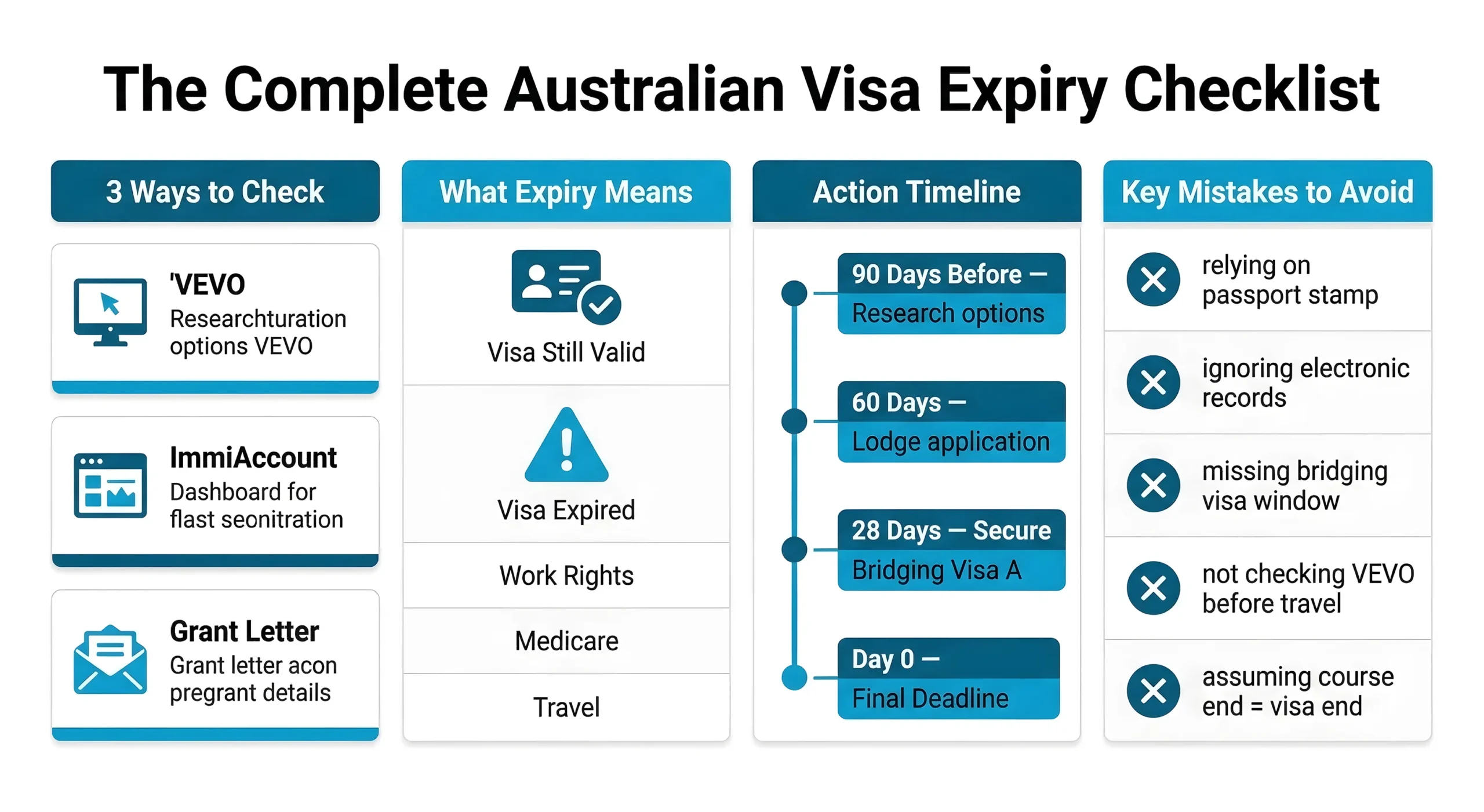
Method 2: Check Your ImmiAccount
If you applied for your Australian visa online, your ImmiAccount is another reliable and official way to check your visa expiry date. As the portal where your application was lodged and managed, ImmiAccount holds a complete record of your visa history and current grant details directly from the Department of Home Affairs.
Accessing Your ImmiAccount Dashboard
Follow these steps to log in and reach your visa details:
Step 1
Go to immi.homeaffairs.gov.au and click “ImmiAccount” in the top navigation menu.
Step 2
Select “Sign in to ImmiAccount” and enter your registered email address and password.
Step 3
Once logged in, you’ll land on your ImmiAccount Dashboard the central hub for all your visa and application activity.
Step 4:
Look for the “Your Applications” or “Visa Details” section on the dashboard. If you have multiple applications on file, locate the most recent granted visa.
Step 5:
Click on the relevant application to expand the full details panel, where your visa grant information is stored.
Locating Visa Expiry Information
Once inside your application record, here’s what to look for:
- Visa grant notice: This is a downloadable PDF attached to your application. It contains your official visa subclass, grant date, and expiry date. Download and save this document for your records.
- “Visa expiry date” field: In most application summaries, the expiry date is displayed directly within the application details panel no need to open the grant notice separately.
- Visa conditions: Alongside the expiry date, ImmiAccount lists the conditions attached to your visa such as work hour restrictions, study requirements, or no-work conditions. Review these carefully, as breaching a condition can trigger visa cancellation regardless of the expiry date.
- Multiple visa records: If you’ve held more than one Australian visa, ImmiAccount will display all of them. Always confirm you’re reading the details of your current, active visa not a previous grant.
Troubleshooting Login Issues
Having trouble accessing your ImmiAccount? These are the most common issues and how to resolve them:
- Forgotten password: Click “Forgot password” on the login page and follow the reset instructions sent to your registered email. Check your spam folder if the email doesn’t arrive within a few minutes.
- Unrecognised email address: If you applied through a migration agent, the account may be registered under their email. Contact your agent directly to retrieve the grant notice or access details.
- Account locked: After multiple failed login attempts, ImmiAccount will temporarily lock access. Wait 30 minutes before trying again, or contact the Department of Home Affairs helpline for manual verification.
- Application not visible: Some older visa applications lodged on paper or through a previous system may not appear in ImmiAccount. In this case, switch to VEVO or contact Home Affairs directly.
- Two-factor authentication issues: If you no longer have access to the phone number or email linked to your two-factor authentication, you’ll need to contact the ImmiAccount helpdesk to regain access securely.
Method 3: Review Your Visa Grant Letter
Your visa grant letter is the original official document issued by the Department of Home Affairs when your visa was approved. While VEVO and ImmiAccount reflect live data, your grant letter serves as a permanent paper trail and for many visa holders, it’s the quickest reference point.
Where to Find Your Grant Letter
Your grant letter was issued at the time your visa was approved, either as:
- An email from donotreply@homeaffairs.gov.au search your inbox using keywords like “visa grant notification” or your visa subclass number.
- A PDF attachment inside your ImmiAccount under the relevant application record.
- A physical letter, if your application was lodged by a migration agent or processed before the online system was introduced.
If you applied through a migration agent, they should hold a copy and can resend it upon request.
Reading the Visa Conditions Section
Once you locate your grant letter, look for the following:
- “This visa is granted until” this line contains your exact expiry date. Note that this is a calendar date, not a duration.
- Visa conditions list: Numbered conditions (e.g., 8105, 8501) outline your work rights, study entitlements, and any restrictions. Breaching these can void your visa before the expiry date.
- Entry validity: Some letters show a separate date by which you must first enter Australia don’t confuse this with your stay expiry date.
What to Do If You Can’t Find Your Letter
- Search your email inbox and spam folder thoroughly
- Log into ImmiAccount and download the grant notice PDF
- Cross-reference your details via VEVO
- Contact the Department of Home Affairs on 131 881 to request a reissue
Conclusion
Monitoring your Australian visa expiry date is the most critical step in protecting your legal status and future opportunities. Whether you choose the real-time accuracy of VEVO, the comprehensive records in your ImmiAccount, or the official details in your Visa Grant Letter, staying informed prevents the severe consequences of an accidental overstay. Remember that electronic records always supersede passport stamps, so verify your status through official government portals regularly. Take control of your immigration journey today to ensure your time in Australia remains secure, lawful, and stress-free.
Book your consultation with The Migration to secure your future in Australia.