
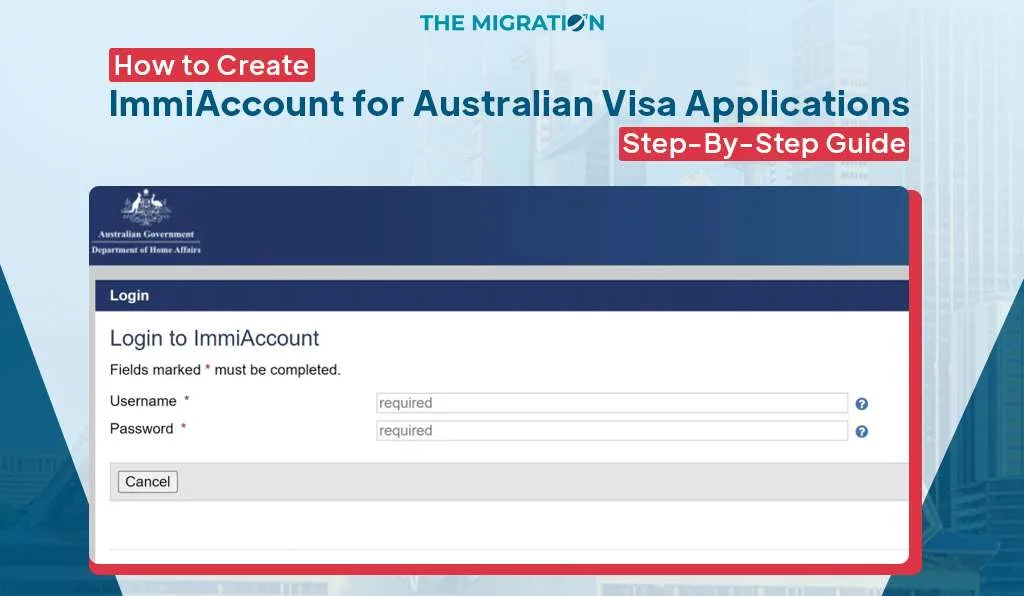
How to Create an ImmiAccount: 5 Steps, Including MFA Setup
You’ve picked your visa and gathered your documents. Then the Home Affairs website asks you to log in to something called ImmiAccount, and you’re not sure which option to click.
It feels like one more hurdle before the real work. In fact, the account is free and takes one sitting, as long as you have your email and phone nearby.
ImmiAccount is the Department of Home Affairs online portal where you apply for most Australian visas and for citizenship. It’s also where you pay, add documents and read messages about your case.
This guide shows how to create an ImmiAccount in 5 steps, including the security step many older guides leave out. It also covers which account type to choose and how to lodge and add documents.
If you’d like a registered agent to check your visa form before you pay the charge, you can book a consultation with our team.
What is ImmiAccount, and what can you do with it?
ImmiAccount is the online account where you fill in, lodge and track Australian visa and citizenship forms. One account can hold several cases, including those for family members.
Once you lodge, the account becomes the place where Home Affairs talks to you. Requests for more information and decision letters arrive there.
|
Task |
Can you do it in ImmiAccount? |
|
Lodge a visa or citizenship form |
Yes, for most visas |
|
Pay the visa application charge |
Yes, online at the end of the form |
|
Attach documents |
Yes, until a decision is made |
|
Check your status and messages |
Yes |
|
Import a case lodged elsewhere |
Yes, including some paper forms |
|
Apply for an Electronic Travel Authority (ETA) |
No, use the Australian ETA app |
The ETA (subclass 601) is the main exception. The eVisitor visa (subclass 651) is lodged in ImmiAccount. Before you start, you need to pick the right type of account.
Which ImmiAccount type do you need?
Most people need an Individual account. You only need an Organisation account if you’re acting for a business, a sponsor or a migration agency.
|
Individual account |
Organisation account |
|
|
Who it’s for |
You, a family member applying for someone, or a friend helping |
A business, a registered migration agent or a sponsor |
|
Example |
A student seeking a Student visa (subclass 500), or an adult child lodging for their parents |
An employer nominating a worker, or checking a worker’s visa through VEVO |
|
Approval needed |
No, it’s ready once you finish the 5 steps Expert Australian Migration GuidanceNavigating the complexities of your visa journey is easier with professionals. Start your Australian dream today. Book Consultation |
Yes, by an administrator or Home Affairs |
Account types are set out on the Home Affairs Create your ImmiAccount page, updated 7 October 2026. If you’re unsure, choose Individual. You can ask for business services later.
How do you create an ImmiAccount in 5 steps?
You make an Individual account by selecting Create an ImmiAccount on the ImmiAccount login page and completing 5 steps.
- Enter your email address. Use a personal email you’ll keep for years, because every message about your visa goes there.
- Enter the verification code. Home Affairs emails you a code. Type it in to confirm the address is yours.
- Enter your user details. Select Individual, enter your details and select Continue.
- Enter your account details. Set your username, password and secret questions, accept the terms and conditions, tick “I am not a robot” and select Submit.
- Set up multi-factor authentication (MFA). You’re asked to link a code app on your phone or your email. Then a “Login successful” page appears.
When the “Login successful” page appears, select Continue. Your account is ready.
What does the MFA step involve?
- MFA adds a second check at every login, on top of your password.
- You can use a code app on your phone or an email code. Home Affairs says the email option is less secure than an app.
- After setup, you enter a 6-digit code each time you log in.
- You can change your MFA method later under Manage Account.
What can you do once your account is created?
- Start a new visa form for yourself or a family member.
- Ask for business services by changing your account type.
- Access LEGENDcom, the Home Affairs legislation database, which needs an annual subscription.
How do you create an organisation ImmiAccount?
A business account uses the same first steps, then adds a final approval step. Home Affairs usually approves one within 4 working days, as of October 2026.
- Step 3 is different: select Organisation, tick the services you need and give a reason for each.
- Step 6 is approval: an Organisation Account Administrator (OAA) approves it first if your business already has one.
- VEVO access: requests for Visa Entitlement Verification Online (VEVO) are always reviewed by Home Affairs, even if an OAA endorses them.
- While you wait: your account stays a personal one until the request is approved.
If your account already holds visa cases, select the Online Lodgement service when you change account type. Home Affairs warns that you lose access to those cases if you don’t. Employers who mainly need visa checks can read our guide to what VEVO shows.
How do you lodge an Australian visa application in ImmiAccount?
You lodge an Australian visa application in ImmiAccount by starting a new form, filling it in, paying the charge and then adding your documents.
- Log in and select New application.
- Choose the visa category and the exact visa you’re applying for.
- Complete each page of the form. Your answers are saved as you go, so you can return later.
- Review every answer, then pay the visa application charge online.
- Note your Transaction Reference Number (TRN). You’ll need it to track your case and to check VEVO later.
- Attach your supporting documents.
The charge is generally not refunded if the visa is refused or you withdraw. That’s why it pays to confirm you meet the criteria before step 4.
How do you attach documents in ImmiAccount?
You attach documents from your case page after you lodge. Choose a document type, then upload the file. You can keep adding documents until a decision is made.
- Select the person the document belongs to, then the evidence type from the list.
- Upload clear colour scans rather than photos where you can.
- Wait for the green tick before closing the page.
- Combine related pages into one PDF, because there is a limit on attachments.
Most visas allow up to 60 attachments per applicant, at up to 5 MB each, as at October 2026 (Australian Embassy guidance). Partner visas have a higher limit. Once a decision is made, you can’t add anything more.
What if you forget your ImmiAccount username or password?
Use the forgotten username or forgotten password link on the login page. Home Affairs emails steps to the address linked to your account.
- Forgotten username: enter your account email address and follow the emailed link.
- Forgotten password: enter your username and follow the emailed instructions to set a new one.
- Forgotten secret questions: if you can’t get into your account, contact Home Affairs.
- Remember: usernames aren’t case-sensitive, but passwords are.
How do you keep your ImmiAccount secure?
- Change your password every 180 days for a personal account, or every 90 days for a business account, as Home Affairs advises.
- Update your email under Manage Account if it changes. A verification code confirms the new address.
- Turn on alert emails for logins and password changes under Alert preferences.
- Never share your password. A registered agent lodges through their own business account.
These settings sit on the Home Affairs Manage your ImmiAccount page.
Which ImmiAccount mistakes cause the most trouble?
Most account problems start with a small setup choice that only matters months later. When clients bring us a visa form they started themselves, the most common issue is an account opened under an email they no longer check.
- Using a work or shared email that you may lose access to.
- Choosing a business account when a personal one would do.
- Changing account type without selecting Online Lodgement, and losing sight of your cases.
- Paying the charge before checking you meet the criteria.
- Giving your password to someone who offers to “help”. Only a MARA-registered agent can legally give immigration assistance for a fee.
Not sure your form is ready to lodge? A MARA-registered migration agent (MARN 2518738) can review it before you pay the charge. You can book a consultation in person or online.
How The Migration helps with your visa application
We help people who want their form checked before they lodge, and people who’d rather have an agent handle it from start to finish.
- Visa choice first: we confirm the right visa before you open a form, whether that’s a Student visa (subclass 500), a partner visa or a skilled visa.
- Form review: we check your answers and evidence before you pay the charge.
- Lodgement for you: we can lodge through our own business account, so you never share your password.
- A registered agent: your matter is handled by a MARA-registered migration agent (MARN 2518738). You can check the number on the Migration Agents Registration Authority (MARA) register.
- Experience and access: Our team has 7+ years of experience in Australian migration, with consultations at our Harris Park office or online.
Are you ready to create your ImmiAccount?
Yes, if you have a personal email address and your phone for the MFA step. Creating an ImmiAccount takes 5 steps, and most people only need a personal account.
Choose Online Lodgement if you ever change account type. Save your TRN after you pay, and attach clear documents until a decision is made.
Frequently asked questions